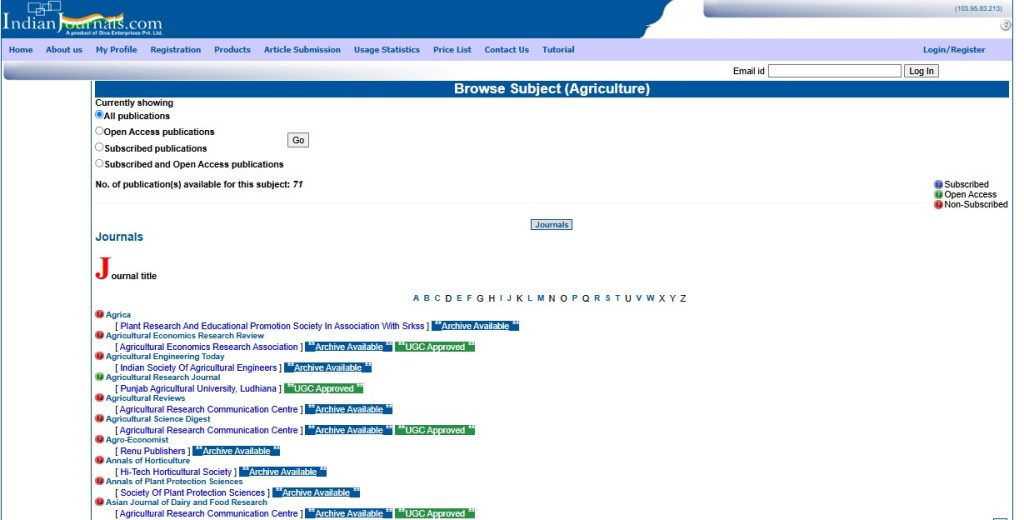
Search by Subjects Area
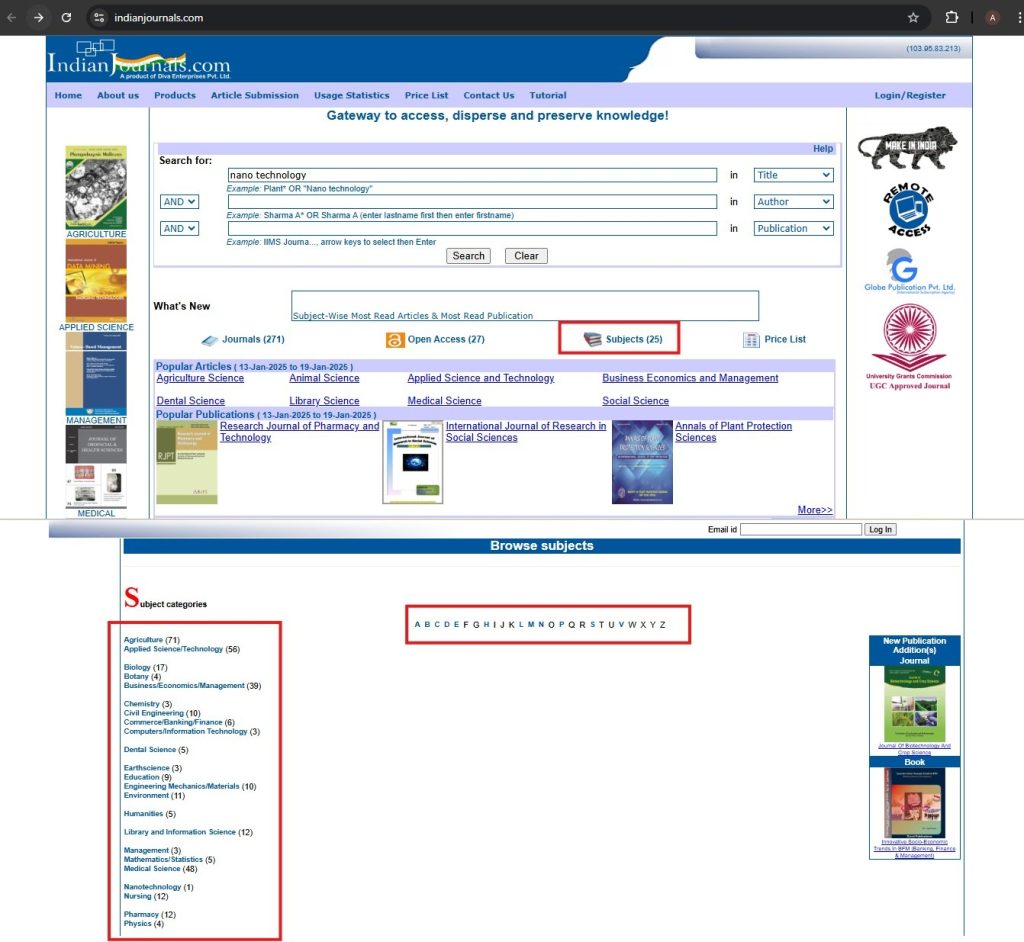
Step to Access :
- Open the website in your browser and ensure you are on the homepage.
- Scroll down on the homepage until you find the “Subjects” section.
- The “Subjects” section will be marked with a red box for easy identification.
- A new page will open, displaying a complete list of subject areas.
- Browse through the list and click on the name of the subject area you are interested in.
- Alternatively, you can choose a subject area alphabetically using the provided sorting options.
After selecting a subject, you will be directed to its dedicated page, where you can explore further details or content related to that subject.
Article Viewing Experience
From the list of subject areas displayed, click on the subject area that matches your requirement.
- After selecting the subject area, you will be presented with a list of journal titles related to the chosen subject.
- Review the list of journal titles to find one that matches your interest or requirement.
- Click on the journal title to access its details or explore further.
- Use the available options to filter the list of journal titles based on your preferences:
- Open Access Journals
- Subscribed Journals
- Other categories as applicable.
After selecting a journal title, proceed to:
- Read the articles available within the journal.
- Download articles or access features such as archives, editorial boards, or current issues.