ASCE Basic Search & Advanced Search
ASCE Basic Search and Advanced Search are two essential tools offered by the American Society of Civil Engineers (ASCE) for navigating their extensive database of research materials, including journals, conference proceedings, and technical papers.
Basic Search
Step to Access :
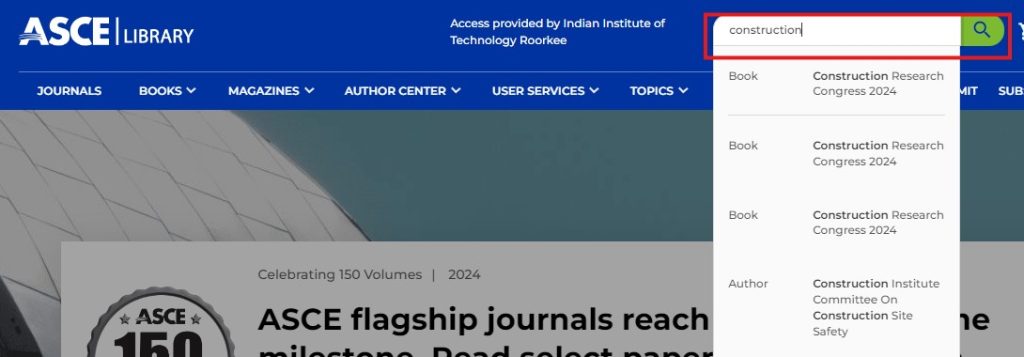
- The Basic Search box is found at the top of the ASCE home page.
- The Basic Search allows you to search for People, Publications, and Content
- The Basic Search provides instant suggestions as you type:
Step to Perform Basic Search
- Begin by choosing a keyword that aligns with your area of interest and putting it into the search box.
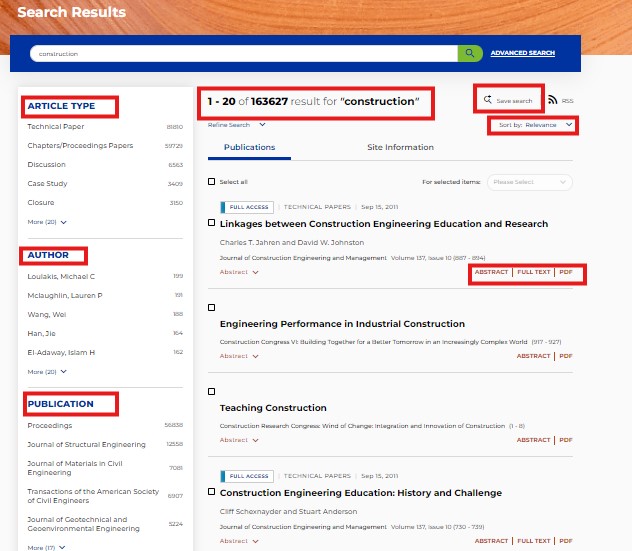
- You will be presented with a list of results related to that keyword.
- You can sort the results based on your preference by selecting one of the following options , Relevance , Newest first , Oldest first
- Relevance: Sorts results by their relevance to the selected topic.
- Newest First: Displays the most recent publications at the top of the list.
- Oldest First: Lists the oldest publications first for historical context.
- To narrow down your search results, utilize the filters available on the left-hand side of the page. Options may include ( Format , Publisher , Subject )
- Format: Choose specific formats such as articles, conference papers, or technical reports.
- Publisher: Filter results based on the publisher of the materials.
- Subjects: Refine your search by selecting particular subject categories relevant to your research
- You also have the option to save your search queries, making it convenient to revisit your findings in the future.
Advanced Search
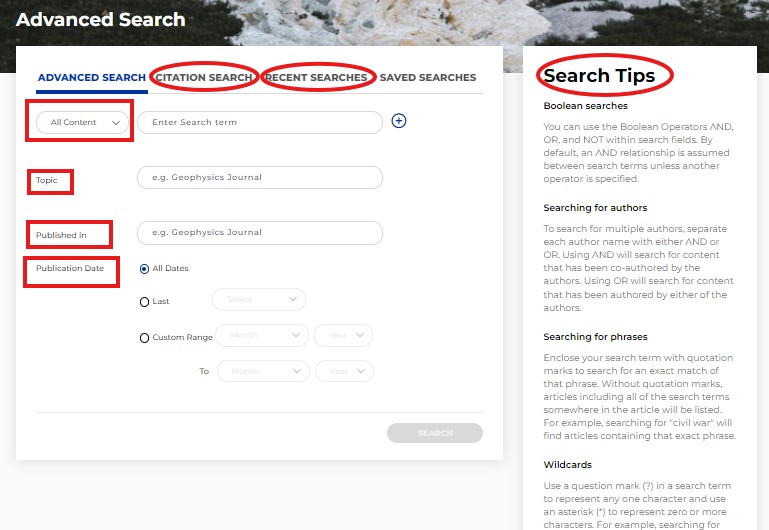
ASCE advanced search feature offers users a powerful tool to refine their research inquiries and find specific information more efficiently
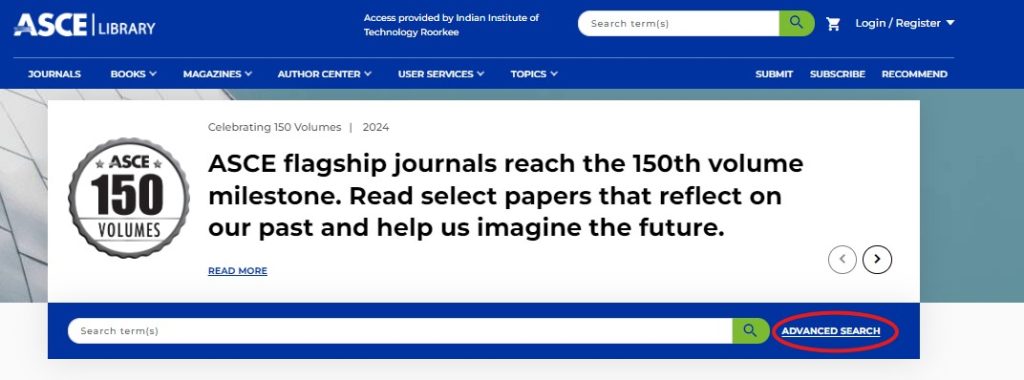
The Advanced Search is right beside the Basic Search box option on ASCE Platform
Step to Perform Advanced Search
- Input relevant search terms such as the article title, author name, or keywords associated with your topic of interest.
- If you know the specific journal in which the article was published, you can include this information in your search to narrow down the results.
- Adjust the date range to reflect your research interests. This allows you to focus on articles published within a specific timeframe.
- On the right-hand side of the Advanced Search page, you will find the “Search Tips” option. This feature provides helpful guidelines and strategies to enhance your search effectiveness.