A Step-by-Step Guide to Gaining Access to ACM Journals
ACM publishes more than 50 scholarly peer-reviewed journals in dozens of computing and information technology disciplines. Available in print and online, ACM’s high-impact, peer-reviewed journals constitute a vast and comprehensive archive of computing innovation, covering emerging and established computing research for both practical and theoretical applications. ACM journal editors are thought leaders in their fields, and ACM’s emphasis on rapid publication ensures minimal delay in communicating exciting new ideas and discoveries.
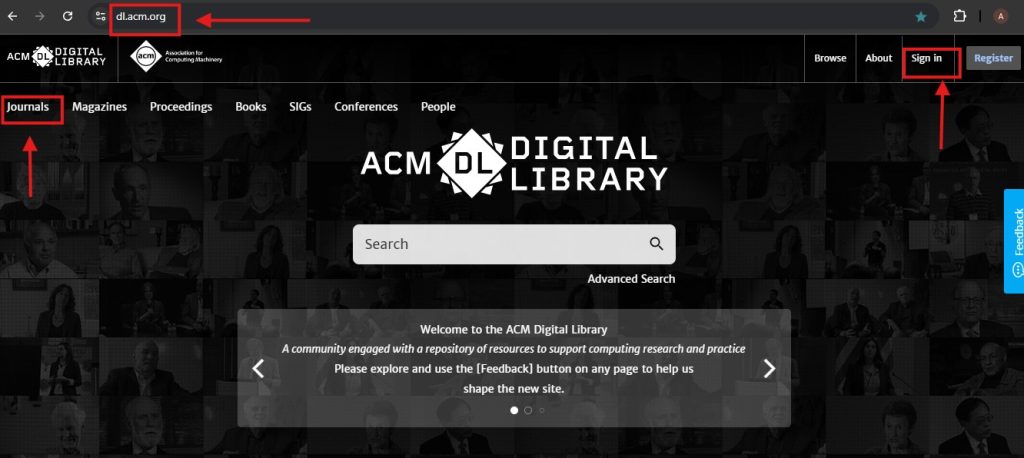
- Launch your preferred web browser, Navigate to ACM Digital Library (dl.acm.org )
- Find and click the “Sign In” button in the upper right corner of the page.
- Input your ACM Web Account username and password. If you do not have an account, you may need to create one or access through an institutional subscription.
- Click “Sign In” to log into your ACM account.
- On the ACM home page, look for the main navigation menu
- Find and click on the “Journals” button / Section, This will take you to the section where you can explore ACM Journals.
Article Viewing Experience
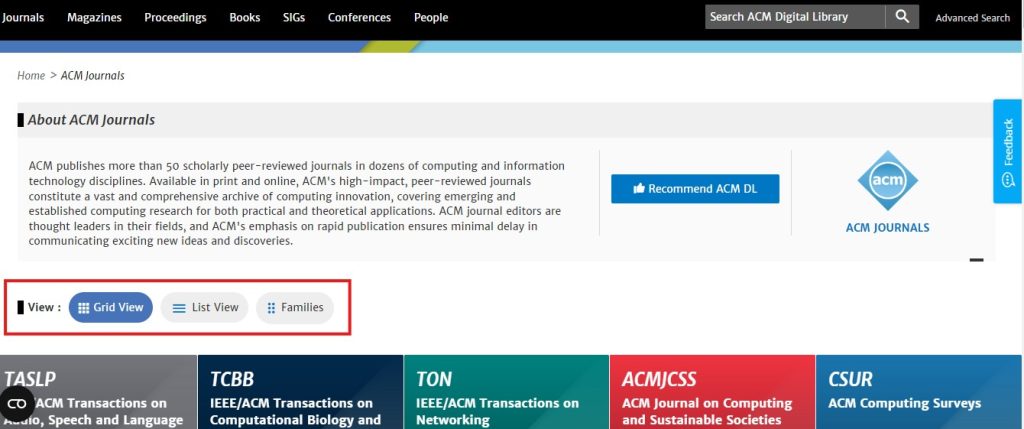
- Once you are on the journals page, you will see options for different views of the journals. These options include
- Grid View: Displays journals in a grid layout with images or icons.
- List View: Shows journals in a list format, usually with additional details or
- Families View: Groups journals into families or categories for easier browsing.
- Select the view that is most convenient for you by clicking on the appropriate option.
- Click on the title or link of the journal you are interested in to view more details about it.
- This will typically take you to the journal’s specific page where you can see its issues, articles, and other relevant information.
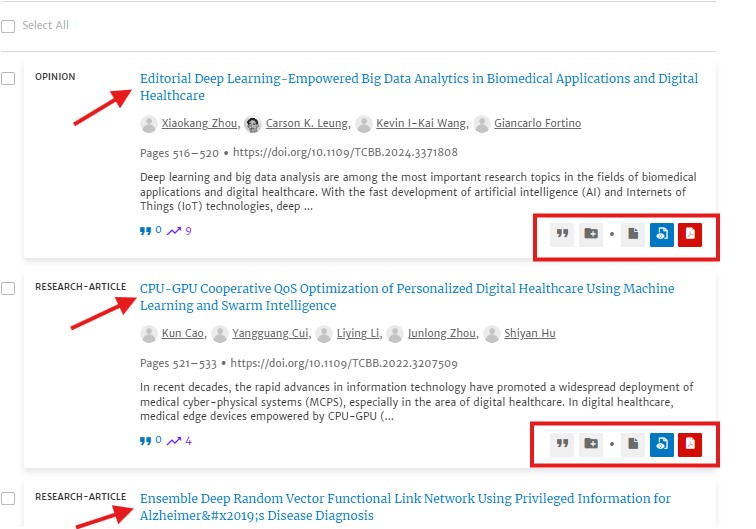
- On the journal’s page, you will see a list of issues or articles.
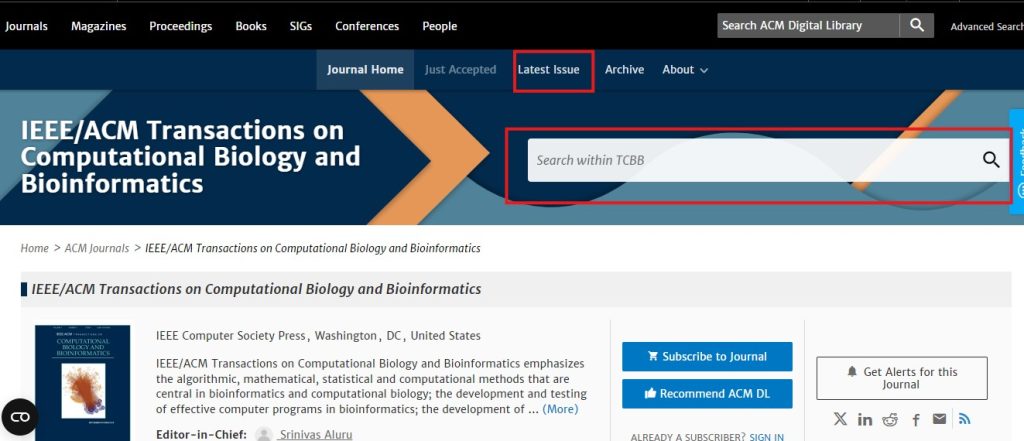
- On the journals page look for the search bar ,In the search bar, enter keywords related to the article you are looking for , This could be the title, author’s name, topic, or specific keywords relevant to your research.
- Click on the article title to view the abstract, full text, or download options (depending on your access rights or subscription).