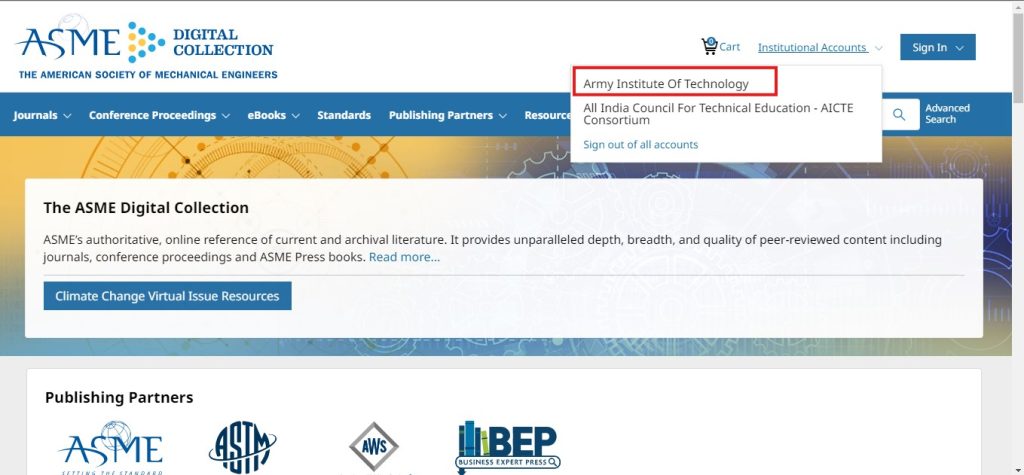
In ASME Digital Platforms ( https://asmedigitalcollection.asme.org/) , seeing your college name appear in the top right corner typically indicates that you are authenticated to access the platform
Sign In
Click on Sign-in button at the top right end of ASME Platform
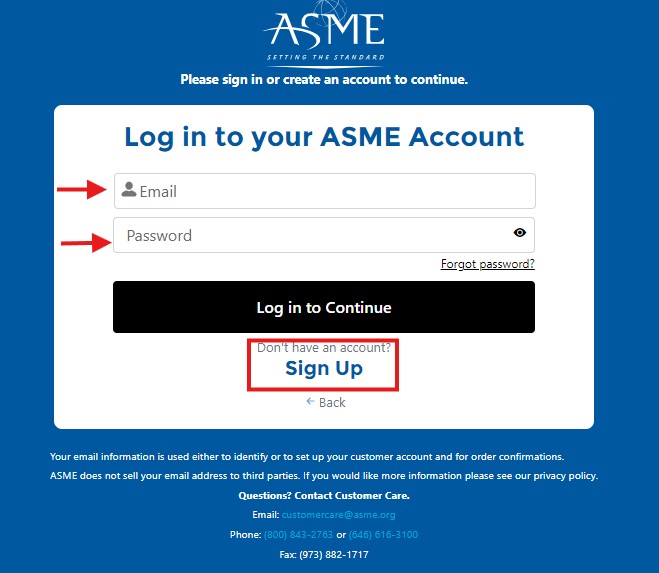
Once the Sign in screen appears, click on Sign in or Register for Account.
Put your email Id and Password and Click on Login to continue
Sign Up
If User do not have account they have to register themselves by using “Sign Up” button through institutional domain email id
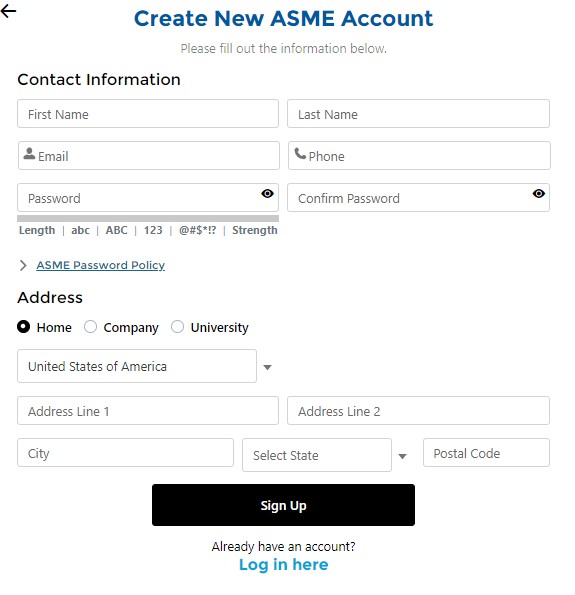
Sign Up Page
Put the contact information ( First Name , Last Name , Email , Phone )
Create the Password by going through ASME Password Policy
On Address Section Put the University name and address then finally click on Sign Up